AI-first interfaces
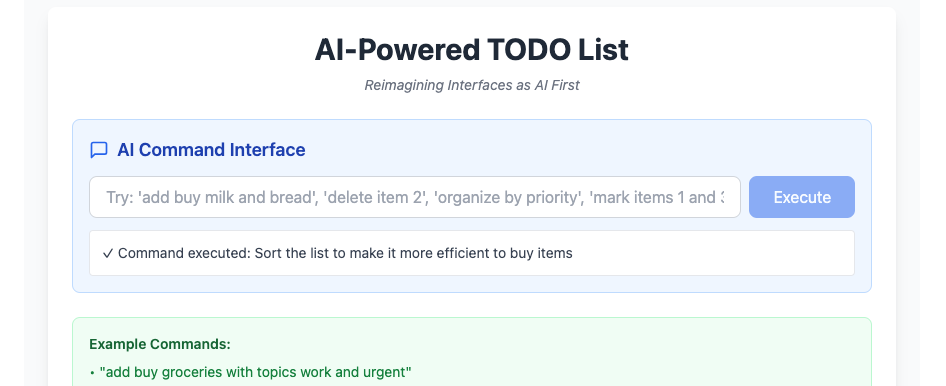
I played with Claude this morning to test the new “AI-Powered apps”. The idea was to reimagine a simple app with an AI-first interface, and let the rest follow.
So, I started with the most popular 101 app: a TODO list.
The result was quite interesting; instead of just asking the AI to operate the list, I asked it to generate whole lists by itself. In the video below, I ask it to create a list for a Lemon Chiffon Cake and Brownies. Then add tags (“topics”) to help me organize the list. And finally, to sort the list to make it more efficient when buying.
https://www.youtube.com/watch?v=mHOnYu4g03A
You can try the app yourself:
https://claude.ai/public/artifacts/49601dc4-5adc-4fdc-88c4-d358adaaba16
The list can’t be saved because Claude Artifacts run in a sandbox environment (which is a good idea, actually), but it’s nice to explore the idea anyway.
I can’t stop imagining other apps with AI-first interfaces; it’s a fun exercise. In a sense, it’s not much different from creating an MCP server and letting the AI operate it for you. On the other hand, having an app built around that makes the experience quite different.
What’s your take on that? How would your app be if we tore the whole interface down and built it around a chat box?
Building the app
I just went to https://claude.ai/ and started with the prompts below.
Initial prompt
Claude built most of it on the first try.
Create a TODO list app that uses Claude as the main interface for operation.
It should save the TODO list in the browser’s local storage.
The interface should accept commands like “add bread, tomato, and salt” and create 3 items in the list. It should be able to delete, move itens, and mark them as done.
The interface should accept “bulk” commands like “delete everything”, “move items 2 and 3 on top of item 1”, “Organize my list by topics”
The main feature is to use AI to operate the list. On the other hand, provide buttons for deleting, mark done, and move items up and down
Note that my instruction to save the TODO list in the browser’s local storage was completely ignored.
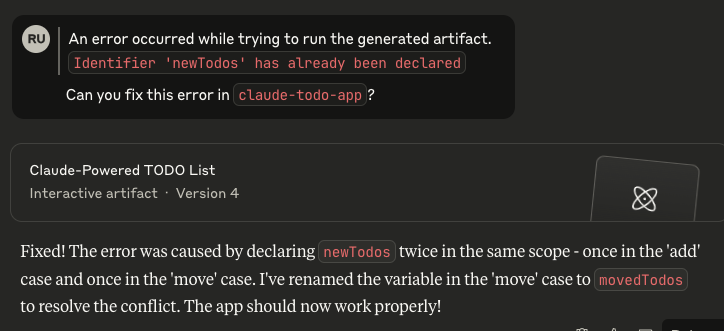
There was a small error that prevented the app from starting, but I just clicked a button, and Claude fixed the error for me.
Improvement
Later, I asked it to add “topics” to help with the list organization, and I just loved how it was implemented. Here’s the prompt for “topics”:
Add a feature “topic”. Each item can have multiple “topics” (think of labels).
Just above the list of items there should be tabs, one for each topic in the list. When the user selects the tab, only items of that topic should be visible. There should always be a tab with “all” showing all the lists.
This time it nailed the feature first time.
More (failed) attempts
I tried adding persistence and even voice-to-text to the list. While Claude tried both, the sandbox mode blocked all my attempts.
Why don’t you try to build something? Think of something small, something trivial, or with a focus so narrow that it can be done in one go.
It’s fun, I guarantee. Way more than I’d like to admit.